
Night Vision Boat Camera A Complete Buyer’s Guide (2026)
You’re probably reading this for one reason. You’ve run a boat after dark, or you’re planning to, and you know how fast confidence drops when the shoreline disappears, the channel markers get sparse, and every patch of black water could be a crab pot, driftwood, a skiff without lights, or a person in the water.
A night vision boat camera changes that problem from guesswork to observation. It won’t make you invincible, and it won’t replace seamanship, radar, or common sense. But the right system gives you something you can use under pressure. You stop staring into darkness and start making decisions from a live picture.
Most buying advice gets this wrong. It either pushes premium thermal systems as the only serious option, or it stays so generic that it doesn’t help a hunter in a jon boat, an officer on a patrol skiff, or a small-boat owner trying to connect military-style night vision to a modern display. That gap matters, because a lot of buyers don’t need the most expensive setup. They need the right one.
Why You Need a Night Vision Camera on Your Boat
The hardest part of night boating isn’t usually speed. It’s uncertainty.
You can idle into a creek mouth, line up for a dock, or cross a bay at a careful pace and still be one unlit object away from a bad night. The danger is often something small, low, and nearly invisible until you’re on top of it. A piling shadow. Floating debris. A dark hull. A marker you expected to reflect and didn’t.
A good night vision boat camera gives you another set of eyes where your own eyes struggle most. It helps when your chart is right but the water in front of you still looks blank. It helps when your spotlight creates glare instead of clarity. It helps when you need to scan ahead without blowing out your own vision.
What changes once you can see
Night runs get simpler when the camera matches the job.
For a hunter, that might mean following a shoreline or slipping into a launch area before first light without depending on handheld lights. For a law enforcement crew, it can mean identifying movement near docks, seawalls, or vessel traffic in low light. For a recreational boater, it often comes down to something less dramatic but just as important. Getting home safely when the sun is gone and the water is still busy.
Practical rule: If you regularly operate before dawn, after sunset, in fog, or in poorly lit inlets and marinas, a night vision system stops being a gadget and starts being safety equipment.
The category is growing because boaters and marine operators are treating it that way. The global Marine Night Vision Camera market was valued at USD 2.7 billion in 2024 and is projected to reach USD 4.1 billion by 2032, growing at a CAGR of 5.51%, while North America captured approximately 40% of related boat video camera revenue as of 2023. The same outlook notes that nighttime accidents account for over 30% of boating mishaps in the U.S. (Marine Night Vision Camera Market Outlook).
Where buyers usually go wrong
Most mistakes happen in one of three ways:
- Buying for the ad, not the environment. A camera that looks great in a product video may disappoint on open water, around dock lights, or in spray.
- Confusing detection with identification. Seeing that something is out there isn’t the same as knowing what it is.
- Overspending on capability you won’t use. Some operators need premium thermal. Others are better served by digital night vision or an adapted image intensifier setup.
That last point gets overlooked constantly. If you’re in a small boat and trying to stretch your budget without giving up usable low-light capability, the smartest answer may not be the most obvious one.
How Marine Night Vision Technologies Work
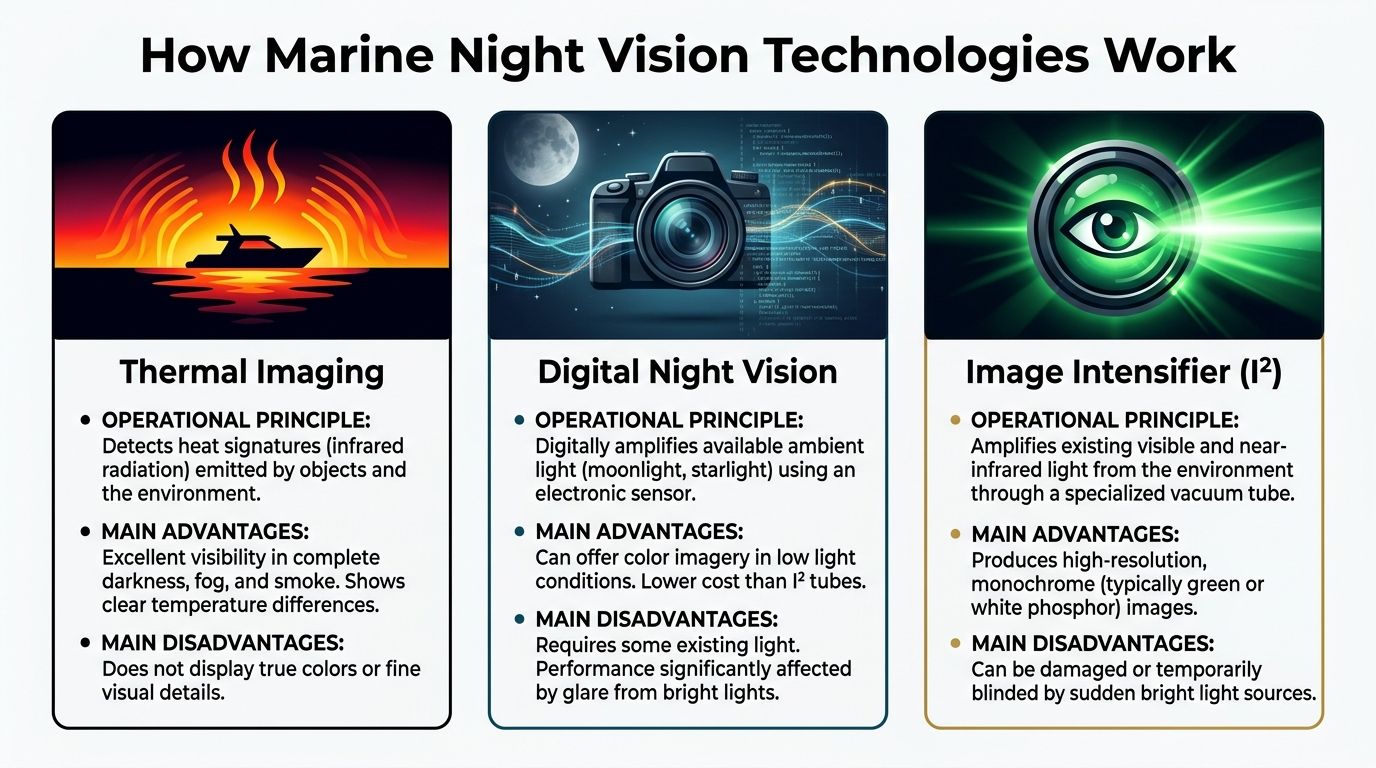
There are three technologies that matter in this category. Thermal imaging, digital night vision, and image intensifier systems, often shortened to I².
If you understand what each one is seeing, product pages become much easier to decode.
Thermal imaging sees heat
Thermal doesn’t care whether there’s visible light. It reads temperature differences.
That makes it the strongest option when you need detection in full darkness, haze, or mixed weather. A warm engine compartment, a person, another vessel, or an animal can stand out clearly against cooler water or shoreline background. On a boat, that’s a major advantage when your own eyes and a conventional camera have almost nothing to work with.
Thermal’s weakness is detail. It often won’t show the visual texture you’d use to read signs, pick out rope, or distinguish the exact shape of a low-profile object the way visible-light systems can.
Best use case: spotting hazards and living targets when light is poor or absent.
Digital night vision amplifies available light through a camera sensor
Digital night vision uses a sensor to gather and amplify faint ambient light. Think starlight, moon glow, distant dock lighting, or reflected sky glow. When the sensor is good and the lens is fast, this can produce a very usable live image for navigation.
A strong marine example is the SIONYX Nightwave, which uses a patented XQE1350 Black Silicon BSI CMOS sensor that is sensitive to 400-1200 nm and can produce full-color imagery in ultra-low light. Its published performance includes detection of man-sized objects out to 150 meters without thermal imaging or active IR illumination (SIONYX Nightwave product page).
That matters because digital systems can show you familiar visual cues. Pilings look like pilings. Shoreline lights look like lights. Reflections and markers often make more intuitive sense than they do in thermal.
For readers comparing options, this overview of marine night vision cameras is useful because it puts visible-light and thermal categories side by side.
Image intensifier systems amplify light directly
I² is the military-style night vision many people know from monoculars and goggles. It doesn’t create a thermal picture. It amplifies available visible and near-infrared light and presents a monochrome image.
The simplest analogy is this:
- Thermal is reading heat.
- Digital night vision is using a camera sensor to boost dim light.
- I² is amplifying dim light through a tube-based night vision system.
On the water, I² can be excellent when there’s enough ambient light. Moonlight, distant shore glow, and open-sky conditions can produce a sharp, useful image. It’s often strong on natural scene detail and immediate visual interpretation.
Its limitations are real.
- Bright lights can overwhelm the image.
- Performance falls off in dark conditions.
- Marine integration is less straightforward than purpose-built thermal systems.
Thermal tells you something is there. Light-amplification systems help you understand what the scene looks like.
What works well in actual marine conditions
On small boats, the best system is often the one that fits your conditions instead of the one with the most dramatic spec sheet.
Use this quick breakdown:
| Technology | What it detects best | Where it struggles | Best fit |
|---|---|---|---|
| Thermal imaging | Heat signatures, people, vessels in darkness | Fine visual detail, non-heat cues | Search, patrol, zero-light navigation |
| Digital night vision | Ambient-light scenes, markers, shore detail | Glare, severe light loss | Recreational boating, docking, shoreline navigation |
| Image intensifier I² | Natural low-light scene detail | Bright light, total darkness, marine integration complexity | Budget-conscious small boat operators with some ambient light |
The right way to think about trade-offs
Don’t ask which technology is “best” in the abstract. Ask what failure you’re trying to prevent.
If your biggest concern is unseen traffic, bodies, or vessels in darkness, thermal usually wins. If your biggest concern is reading the environment naturally and you often have some ambient light, digital or I² can be more practical. If your budget is tight and you already understand military night vision, I² deserves serious consideration.
Decoding Night Vision Camera Specifications
A spec sheet can help you, or it can mislead you. The trick is knowing which numbers matter on the water.
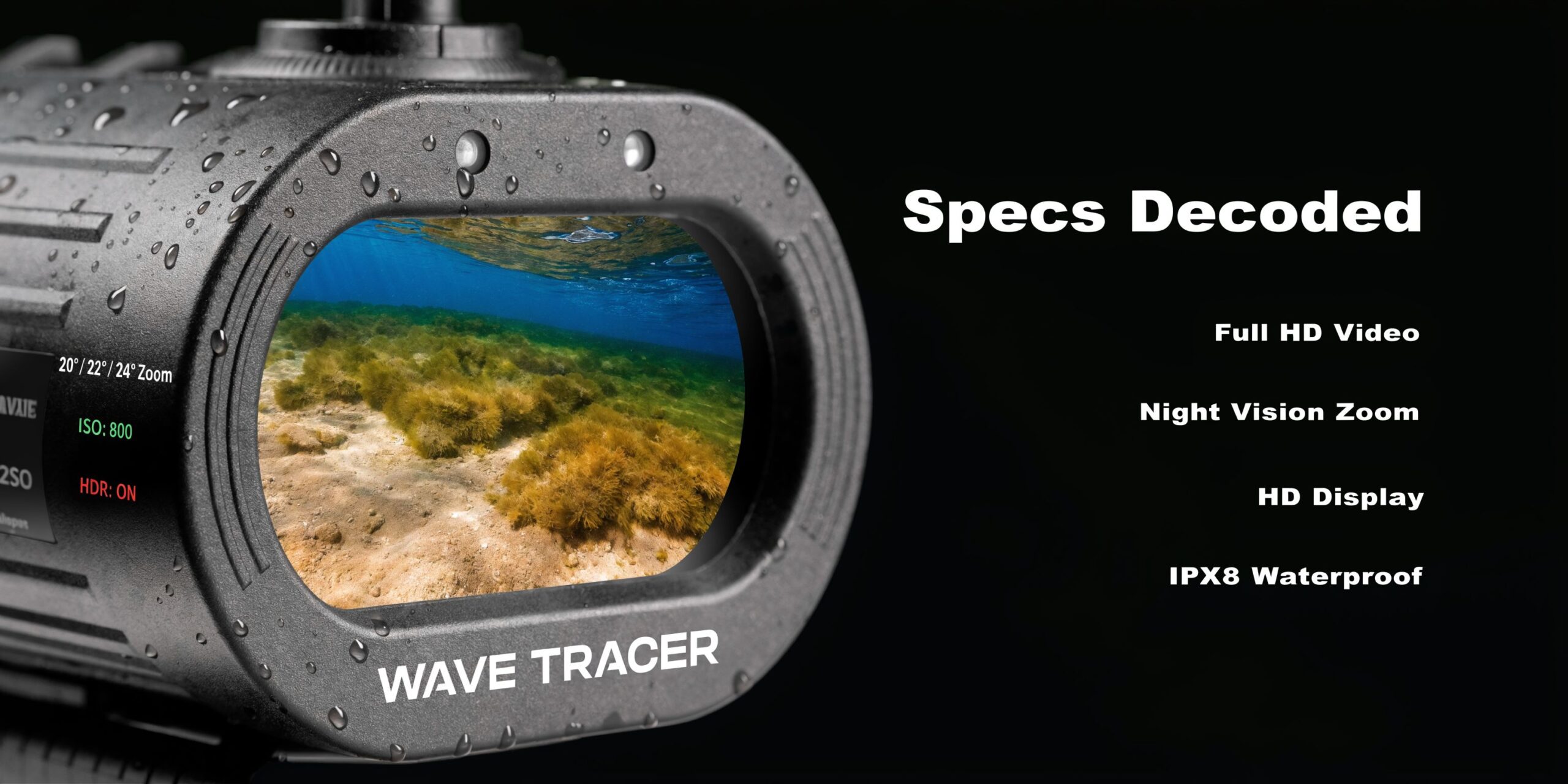
This market is moving fast. Night vision is the fastest-growing segment in the boat video camera market, with a global CAGR of 11.50% from 2023 to 2030, and recent AI-enhanced thermal systems add radiometric temperature detection and object recognition (boat video cameras market report). That innovation is useful, but it also gives manufacturers more ways to market features that may not matter for your boat.
Resolution and why it isn’t the whole story
Higher resolution helps, but buyers often overrate it.
On a boat, a clean lower-resolution image can beat a noisy higher-resolution image if the sensor and optics are better matched to low light. Resolution helps with recognition and display sharpness. It doesn’t guarantee useful detail in motion, glare, spray, or darkness.
What to watch for:
- Sensor quality first. A better sensor usually matters more than a bigger pixel count on the box.
- Lens quality second. A poor lens will waste a good sensor.
- Display compatibility third. If your MFD or monitor compresses or softens the image, extra resolution may not buy you much.
Detection range versus useful range
Manufacturers love maximum range claims. Operators should care about realistic range.
A published detection distance might mean the camera can tell you that something exists. It doesn’t mean you can identify whether it’s a person, stump, buoy, or skiff. On the water, that distinction matters more than the headline number.
When you read range specs, ask:
- Is this thermal, digital, or I²?
- Is the target a person, a vessel, or something larger?
- Is the claim about detection, recognition, or identification?
- Does that range still help at your normal speed?
A long-range claim is less useful if the camera’s field of view is too narrow for close navigation.
Field of view changes how a camera feels underway
A wide field of view is often better for piloting and close hazard awareness. A narrow field of view helps with spotting farther out.
That’s a direct trade-off. Wider views make navigation feel more natural because you can see more of the channel, shoreline, and water ahead. Narrower views help with surveillance or target work but can feel restrictive when you’re maneuvering.
What I tell buyers: For navigation, don’t chase maximum zoom first. A camera you can comfortably drive by is more useful than one that only shines in a static spotting role.
Sensor type and what it means
In practical terms, you’ll usually be dealing with one of these:
- Thermal microbolometer for heat detection.
- CMOS-based digital night vision for low-light visible imagery.
- Tube-based I² systems for amplified monochrome night vision.
That sensor choice determines almost everything else. It affects what the camera “sees,” how it handles glare, whether it works in no-light conditions, and what kind of display integration you’ll need.
Extra features worth caring about
Some add-ons are marketing fluff. Some are worth paying for.
A few that matter:
- Image stabilization or gyro assistance helps on rougher water.
- Object recognition overlays can help, but only if the base image is already good.
- Analog and network output options make installation easier.
- Marine-rated housing matters more than a fancy menu system.
Ignore polished menus if the housing, mount, and output options don’t match a real marine installation.
Choosing the Right Camera for Your Mission
The right answer depends less on brand loyalty and more on how you run your boat.
A patrol boat, duck boat, center console, and offshore cruiser don’t need the same night vision boat camera. The mission changes the recommendation. So does the budget. Most buyers either overspend on thermal because they think that’s the only serious option, or underspend on a camera that can’t handle their conditions.
The overlooked option for small boats
Most guides talk about fixed-mount thermal systems and stop there. That leaves out one of the more practical routes for hunters, adventurers, and small-boat owners. Affordable Image Intensified (I²) systems adapted to a marine display.
That gap is real. Current guidance often ignores the fact that a Gen 3 PVS-14-style system at about $3k can be a cost-effective alternative to thermal systems at $10k+, with potential detection ranges of 200-500m in moonlight (marine night vision systems discussion).
That doesn’t mean I² replaces thermal. It doesn’t. It means the buyer with a smaller boat and some technical comfort has another path.
When I² makes sense
I² works best for a narrow type of buyer, but for that buyer it can be the smart move.
Use it when these conditions apply:
- You usually have ambient light from moonlight, shoreline glow, or open sky.
- You run a smaller vessel where every dollar and amp matters.
- You’re comfortable adapting gear instead of buying a fully integrated premium marine package.
- You care about scene detail more than pure heat detection.
It’s especially attractive for inland waterways, marsh edges, inlets, and protected coastal routes where there’s often some usable environmental light.
When thermal is still worth the money
Thermal remains the better choice if your job requires dependable detection in ugly conditions.
That includes:
- Law enforcement patrols
- Search-focused work
- Frequent zero-light operation
- Fog-prone routes
- Need to detect living targets quickly
For these users, the premium often makes sense because the performance gap matters.
If your boat is a tool and missing a target has serious consequences, thermal is usually the safer answer. If your boat is small, your budget is real, and your routes have ambient light, adapted I² can be a rational buy.
Recommended Night Vision Specs by Use Case
| Use Case | Primary Technology | Ideal Resolution | Minimum Detection Range (Man-sized) | Key Feature |
|---|---|---|---|---|
| Small-boat hunter in moonlit or nearshore conditions | Image Intensifier I² | Prioritize tube clarity over digital pixel count | 200-500m in moonlight | Easy adaptation to existing viewing setup |
| Recreational boater returning to dock or running lit shorelines | Digital night vision | Moderate to high visible-light resolution | Around the practical forward navigation zone | Natural scene detail for markers and obstacles |
| Law enforcement or security patrol | Thermal imaging | Higher thermal resolution if budget allows | Long enough to detect threats before intercept distance | Reliable heat detection in no-light conditions |
| Search-focused operator or remote-water user | Thermal imaging | Higher thermal resolution | Long-range detection priority | Performance in darkness, haze, and mixed visibility |
| Budget-conscious adventurer with technical skill | Image Intensifier I² or digital night vision | Match display compatibility first | Enough for safe route scanning in your conditions | Lower entry cost and flexible integration |
What I’d recommend by buyer type
For hunters on smaller boats, I’d look hard at adapted I² if your environment gives you ambient light and you want to keep cost under control.
For general recreational use, digital night vision often feels more intuitive because it presents the waterway in a familiar way.
For patrol and serious safety work, thermal is the one I’d trust first.
The mistake is buying outside your real use case. A cheap digital camera won’t turn into thermal because the ad says “starlight.” A premium thermal won’t magically help you read every visual detail the way a visible-light system can. Pick for the mission, not the marketing category.
Mounting Powering and Connecting Your System
A strong camera can still disappoint if it’s mounted poorly, fed dirty power, or connected through the wrong display path.
Marine installation is where theory meets vibration, spray, cable runs, corrosion, and limited helm space. Keep the setup simple.
Mounting position matters more than most buyers expect
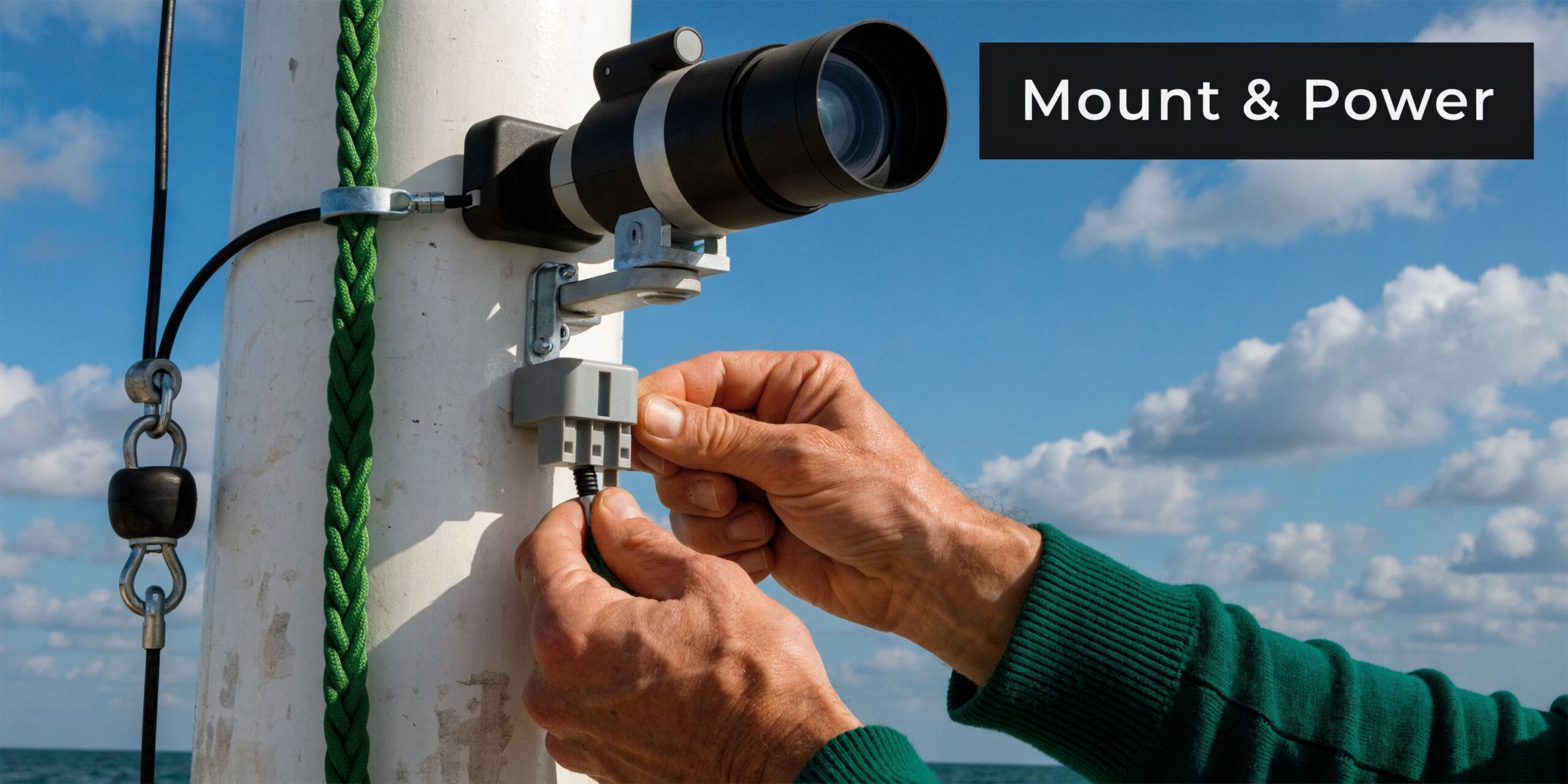
Put the camera where it sees cleanly forward and stays as stable as possible.
Good locations often include:
- Cabin top for a balanced forward view and protected wiring path
- Radar arch when you need a higher angle and have room for a proper mount
- Bow or raised rail position on smaller boats where helm structure is limited
Avoid placements where the camera will constantly look through windshield glare, deck lights, anchor lights, or bow spray. Height helps horizon view, but too much height can make close docking references awkward.
Fixed-mount units are simpler and usually more rugged. Pan-tilt systems add flexibility, but they introduce more moving parts and more things to troubleshoot.
Power cleanly or expect image problems
Most marine cameras live on the boat’s DC system. That’s fine, but don’t treat it like an afterthought.
Follow a basic discipline:
- Use a proper marine-grade power run.
- Keep connections protected from moisture.
- Separate sensitive video wiring from high-noise power lines where possible.
- Fuse the circuit appropriately for the device.
A lot of “bad camera” complaints are power issues. Voltage sag, poor grounding, and corroded connectors can create flicker, random resets, or unstable video.
Connecting to MFDs and secondary displays
Buyers need to read outputs carefully before ordering.
Common paths include:
- Analog video for older or simpler display integrations
- Network or Ethernet-based connections for more modern systems
- Wireless app viewing for tablets or phones
- Adapter-based integration for unconventional I² setups
Digital marine cameras such as the Nightwave can integrate through analog output and wireless streaming options, which is exactly the kind of flexibility many smaller boats need. If you’re supplementing a low-light camera with an illuminator for a land-based or mixed-use setup, it’s worth understanding infrared lighting for cameras and where it helps versus where it doesn’t.
Keep your display chain short and reliable. Every adapter, splitter, and converter adds another failure point in a wet environment.
The smart small-boat approach
For compact boats, the cleanest install is often:
- fixed camera
- direct power run
- one primary display path
- one backup viewing method
That backup can be a tablet app, a small monitor, or a secondary screen at the helm. Redundancy matters, but complexity kills reliability if the installation gets sloppy.
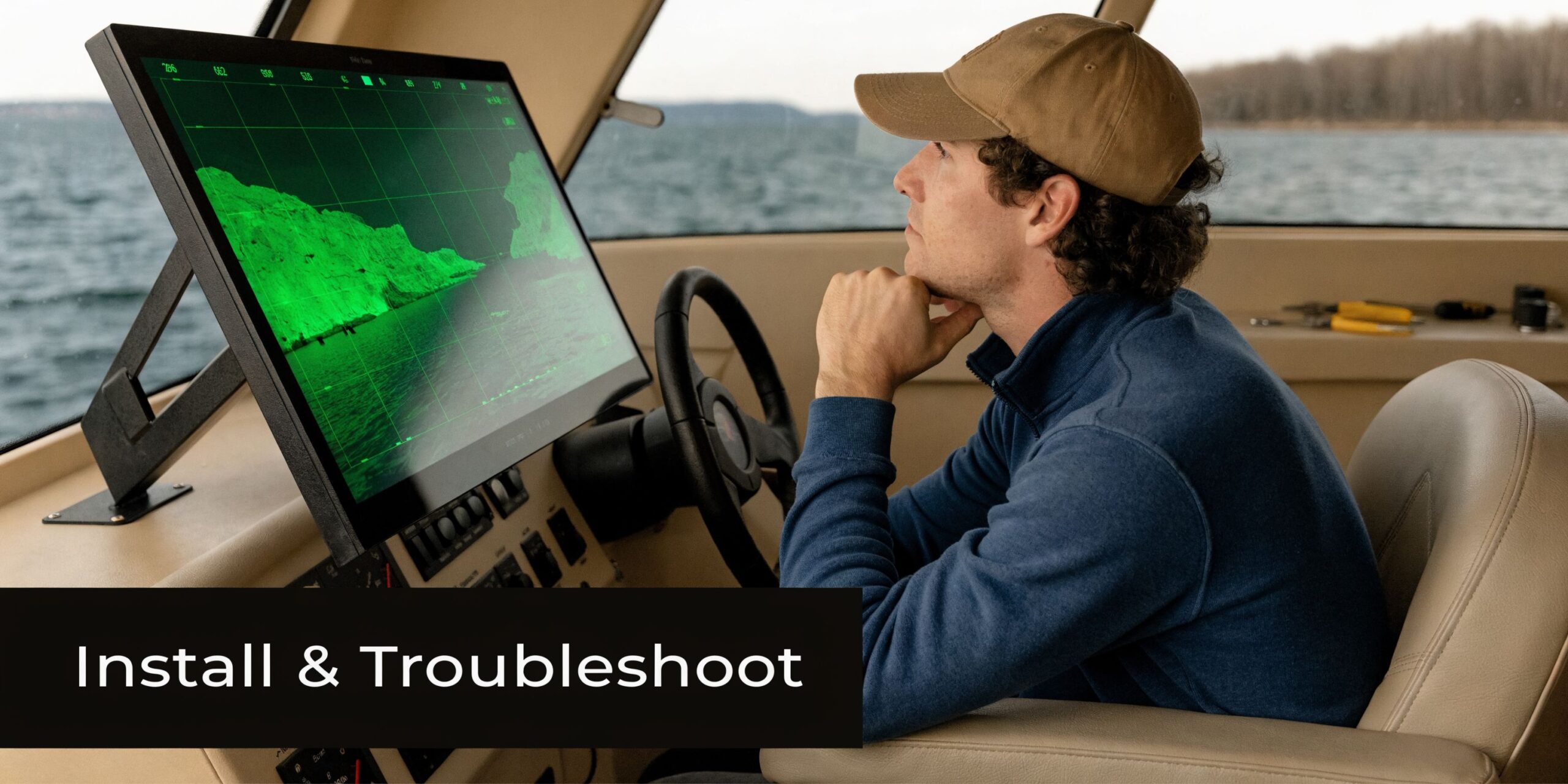
Installing and Troubleshooting Your Boat Camera
Installation goes smoothly when you think like a boat owner, not like a bench technician. Every run should survive motion, moisture, vibration, and service access.
Do the clean work up front. It saves hours later.
A clean install sequence
Start with temporary positioning before you drill anything. Sit at the helm, check the forward sight picture, and make sure the camera sees the water you care about.
Then work in this order:
- Mock up the mount and verify field of view at rest.
- Run power and video paths with protection in mind.
- Seal entry points so spray and rain don’t turn into wiring problems.
- Test the display connection before final tie-down.
- Secure all cable runs so vibration doesn’t work them loose over time.
If you’re adapting an I² setup, bench test the full signal path before marine installation. That means monocular or housing, adapter, output device, display input, and power source. Don’t assume the boat is the place to discover compatibility problems.
Common problems and the fastest checks
If there’s no image on screen, start with the obvious. Confirm power first, then output format, then display input selection. A lot of installers skip one menu setting and lose an hour chasing the wrong issue.
If the image flickers or drops out, suspect wiring and connectors before blaming the camera. Vibration exposes weak crimps and marginal adapters fast.
If the image looks washed out near marina lights, the problem may not be the unit. It may be the technology choice. I² and digital low-light systems can struggle around intense point light sources in ways thermal won’t.
Don’t troubleshoot everything at once. Change one variable, test it, and keep notes.
A practical troubleshooting list
- Black screen
Check power, fusing, connector seating, and whether the display is on the correct input. - Intermittent video
Inspect cable strain points, adapter quality, and any exposed connector that may have moisture intrusion. - Poor low-light performance
Reevaluate ambient light conditions, lens cleanliness, and whether the technology type matches the environment. - Bad viewing angle
Reposition before assuming you need a different camera. Many install complaints come from mounting too low or too close to glare sources. - Control issues on pan-tilt models
Verify communication wiring and test controls at the shortest possible connection path.
One habit that prevents future headaches
After installation, run the boat in the exact conditions you bought the camera for. Don’t stop at a driveway power-up or a daytime dock test. A night run tells you whether the mount, screen location, brightness settings, and horizon framing work.
Safety Legal and Long-Term Maintenance Guide
Owning a night vision boat camera doesn’t reduce your responsibility. It increases it.
The camera gives you more information, but it can also tempt you to stare at a screen instead of reading the water, listening to the boat, and maintaining normal watch discipline. That’s the trap.
Use the camera as an aid, not a substitute
A helm screen can pull your attention inward. That’s dangerous.
Use the camera to scan, confirm, and supplement. Don’t let it replace direct observation, chart awareness, radar if equipped, or local knowledge. This matters even more with thermal, because a strong thermal picture can create false confidence when scene detail is limited.
A few operating habits help:
- Scan outside first and use the display to confirm what you suspect.
- Reduce speed to match visibility, not just what the camera can technically show.
- Train everyone at the helm on what the image can and cannot tell them.
- Know your technology limits before you trust it in tight quarters.
Legal and practical caution points
Recording laws, privacy expectations, and local enforcement rules vary by location and use case. If your system records, streams, or is used in a professional role, check the applicable requirements for your area and mission. Don’t assume that because a camera is legal to own, every recording or surveillance use is unrestricted.
For agency and contractor users, internal policy matters just as much as local law. Build the camera into your SOPs the same way you would any other observation tool.
Maintenance that preserves performance
Marine electronics don’t fail only from age. They fail from salt, vibration, neglected seals, and bad storage.
A simple routine goes a long way:
- Rinse exterior surfaces appropriately after exposure and follow the manufacturer’s care guidance.
- Check mounts and fasteners regularly because vibration works on everything.
- Inspect connectors and cable jackets for corrosion, cracking, or looseness.
- Clean lenses correctly with the right materials. Don’t grind salt into the glass.
The marine environment punishes small maintenance mistakes. A loose connector that seems harmless at the dock becomes a dead screen when the weather turns.
Repairs and upgrades
When a night vision system starts acting up, random parts swapping usually wastes money. Proper diagnostics matter, especially with I² gear, adapters, and hybrid setups that may involve more than one component.
Use professional service when the issue involves internal optics, sealed housings, display compatibility, or tube-based night vision components. That keeps a small fault from becoming a larger failure.
Long-term ownership is also where accessories matter. The right mount, protective cover, cabling, or interface component often improves reliability more than a flashy software feature ever will.
Your Next Step to Confident Night Navigation
A night vision boat camera is worth buying when it solves a real operating problem. For most buyers, that problem is simple. You need to see earlier, react sooner, and run with less uncertainty after dark.
The right choice comes down to mission fit.
Thermal is the strongest answer for zero-light detection and serious patrol or search work. Digital night vision makes sense when you want a more natural view of the waterway and usually have some ambient light. Image intensifier I² deserves more attention than it gets, especially for hunters, adventurers, and small-boat owners who want military-derived low-light capability without stepping straight into premium thermal pricing.
Then the practical side takes over. Mount it where it can see. Power it cleanly. Connect it to a display path you trust. Test it on the water, at night, in the conditions you expect to face. That’s what separates a good purchase from an expensive experiment.
If you’ve narrowed your list but still aren’t sure which path fits your boat, that hesitation is normal. The wrong system can leave you disappointed fast. The right one changes how you operate from the first night run.
Superior Tactical LLC helps buyers sort through that decision without the usual marketing fog. If you need guidance on thermal, digital night vision, Gen 3 image intensifier systems, mounts, or service support, visit Superior Tactical LLC and get practical help from people who understand low-light gear.
