The Ultimate Guide to Night Vision Thermal Overlay
A night vision thermal overlay is a piece of tech that literally layers a thermal image on top of what you're seeing through your traditional night vision. This "fused" view combines the best of both worlds, letting you see light-based details and heat signatures at the same time. The result is a massive leap in situational awareness when the lights go out.
Seeing Beyond the Dark with Thermal Overlays
Think of it like getting a new, superhuman sense. That's really what a thermal overlay gives you. But to get why it's such a game-changer, you first have to understand the two technologies it's built on: standard night vision and thermal imaging. They work in completely different ways, and each has its own set of pros and cons.
Your typical night vision gear, which we often call image intensification (or I²), is basically a light amplifier on steroids. It scoops up any available ambient light—even just faint starlight or a glow from a city miles away—and boosts it thousands of times. This gives you a clear, recognizable picture where you can make out faces, read signs, and move through tricky terrain. But it has one major weakness: it needs some light to work with. In total darkness, like a windowless basement, it's blind without an extra infrared (IR) illuminator.
Now, let's talk thermal. This technology couldn't care less about light. It sees the world purely through heat, detecting tiny differences in the infrared energy that everything gives off. It then turns that data into a picture, where warmer objects like a person, a running car engine, or even a fresh set of footprints glow against the cooler background. This makes it incredible for detection, punching right through camouflage, smoke, or fog. The downside? A thermal image lacks texture and context. It can be tough to tell exactly what you're looking at or safely find your way around using thermal alone.
Fusing Two Worlds into One
A thermal overlay, or a true fusion system, brilliantly merges these two views into a single, seamless picture. It takes the heat signatures from the thermal sensor and projects them directly onto the detailed, light-amplified image from your night vision device.
What you get is a powerful synergy where the strengths of one technology cover the weaknesses of the other.
-
Night Vision Gives You: The lay of the land. You see terrain features, identify objects, and get your bearings.
-
Thermal Imaging Gives You: Unmistakable detection. It highlights anything with a heat signature, cutting through things that block light like fog or thick brush.
The result is a level of awareness you just can't get otherwise. You can spot a threat hiding in the bushes by their body heat, while still seeing every tree, rock, and path around you with perfect clarity. This fused image takes the guesswork out of the equation, giving you a tactical edge that neither technology can deliver on its own. It's not just about seeing in the dark anymore; it's about understanding what you're seeing with a depth that was impossible until now.
How Thermal Overlay Technology Really Works
To get a real grip on why a night vision thermal overlay is such a game-changer, you have to understand how it stitches two completely different ways of seeing into a single, cohesive picture. It's not magic—it's a smart fusion of optical and digital tech. At its heart, the process works in one of two ways.
The most common method, especially for guys upgrading gear they already trust, is the clip-on thermal imager (COTI). Just think of it as a miniature, high-tech projector. It mounts directly to the front of your existing night vision device—like a standard PVS-14—and beams the thermal image right onto its objective lens. Your night vision tube then does its job, amplifying that thermal data right along with the ambient light from the scene in front of you.
This clip-on approach is incredibly popular because it lets you add a powerful capability to the night vision you already own and have trained with. The other route is a dedicated, fully integrated system where the thermal sensor and the image intensifier tube are engineered together in one housing. These units fuse the two data streams electronically, combining them into one image before it even hits your eye.
From Sensor Data to a Usable Sight Picture
Whether you’re running a clip-on or a dedicated unit, the final image you see is delivered through a few different display modes. Each one gives you a unique way to interpret the fused visual information, and knowing which to use is all about your specific mission and environment. Mastering these modes is what turns a cool piece of tech into a true tactical advantage.
For a deeper dive into the nuts and bolts of the core technologies, check out our comprehensive guide comparing thermal, digital, and analog night vision.
The infographic below breaks down how these two distinct views come together to create one powerful, fused image.

As you can see, layering the heat-based signature detection of thermal over the detail-rich image from night vision gives you a complete picture, effectively eliminating the blind spots of each technology.
Common Thermal Display Modes
Operators can typically cycle through a few key viewing modes to get the best possible intel from their surroundings. These modes change how the thermal data is overlaid onto the night vision image, letting you fine-tune your view for maximum effect.
Here’s a look at the three most common display modes you’ll encounter:
-
Alpha-Blend: This mode lays a semi-transparent thermal image over your entire field of view. It’s like looking through a ghostly thermal window that covers everything, giving you both heat signatures and environmental details across the board.
-
Picture-in-Picture: With this mode, a small, dedicated window showing the thermal view pops up inside your main night vision picture. It’s great for keeping your full peripheral awareness with night vision while dedicating a specific zone to pure thermal detection.
-
Color Mapping (Outline/Highlight): This is easily the most popular mode. It highlights significant heat signatures with a bright color—usually red or orange—or a sharp outline, leaving the rest of the night vision image untouched. Targets pop instantly without cluttering up your view.
Analogy Time: Think of these modes like different map layers on a GPS. Sometimes you want the full satellite view (Alpha-Blend), and other times you just need to see the traffic hotspots (Color Mapping). Being able to switch on the fly gives you the flexibility to adapt to any situation in seconds.
Each mode serves a purpose. A search and rescue team might use an outline mode to quickly scan a field for a person. A hunter stalking through thick brush might prefer the constant thermal feedback of an alpha-blend.
The table below provides a quick side-by-side comparison to help you understand which mode works best for different scenarios.
Comparing Thermal Overlay Display Modes
| Display Mode | How It Works | Best Use Case | Key Advantage |
|---|---|---|---|
| Alpha-Blend | Overlays a semi-transparent thermal image across the entire night vision view. | Close-quarters navigation, tracking in dense foliage | Provides constant, full-field thermal context. |
| Picture-in-Picture | Displays a small, dedicated thermal window within the larger night vision picture. | Static observation, surveillance | Preserves peripheral awareness and NV detail. |
| Color Mapping (Outline) | Highlights heat signatures with a colored outline, leaving the background unaffected. | Scanning large areas, fast target identification | Makes targets "pop" without cluttering the scene. |
Ultimately, knowing when to use each of these modes is what separates a novice from an expert. It's about turning a piece of advanced hardware into an extension of your own senses.
The Tactical Edge of Fused Vision
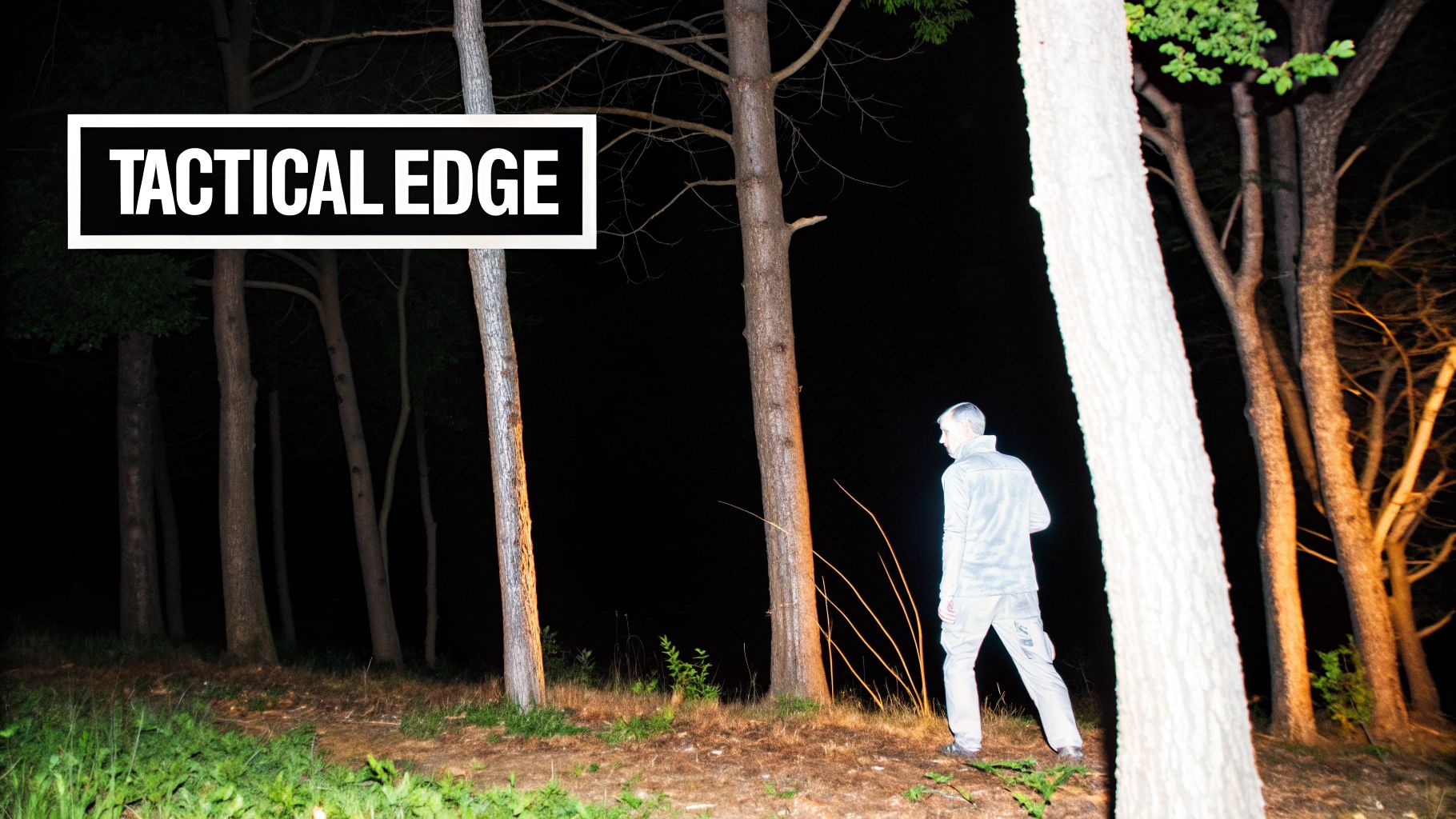
Let's get straight to it: fusing night vision with a thermal overlay isn't just an upgrade. It’s a fundamental change in how you see and operate in the dark. You’re essentially layering two different views of the world on top of each other, and in doing so, you cancel out the weaknesses of each. What you're left with is a level of situational awareness that’s impossible to get any other way.
For operators in military and law enforcement roles, the benefits are immediate. A night vision thermal overlay slices right through smoke, fog, and dust that would normally blind standard I² night vision. An enemy perfectly camouflaged in the shadows suddenly glows like a lightbulb because of their body heat, making them an unmistakable target. This is the kind of advantage that changes outcomes in complex urban or rural environments.
Why Different Users Need Fused Vision
The power of this technology isn't just for the battlefield. From tracking game to saving lives, professionals and serious enthusiasts are using fused vision to solve very specific problems.
-
Dedicated Hunters: A thermal overlay is a total game-changer. You can spot the heat signature of an animal in thick brush or at a distance where your eyes would fail. Even better, it’s a crucial tool for recovering an animal after the shot, letting you follow a clear heat trail to prevent lost game.
-
Search and Rescue (SAR) Teams: When every second is critical, the ability to scan a huge, dark area for a human heat signature is literally a lifesaver. A thermal overlay can make an unconscious person in a ditch or a lost hiker huddled for warmth stand out, drastically reducing search times.
-
Security Professionals: Fused vision offers the best of both worlds for perimeter security. An operator can use the detail from night vision to identify a vehicle while the thermal overlay instantly flags a person hiding in the nearby tree line.
This tech is a true force multiplier. It turns what was once a difficult or impossible task into something routine. By giving you both context and detection in a single image, you can make faster, more confident decisions when it counts. To see how these systems work with popular gear, check out our guide on the benefits of pairing your PVS-14 with a thermal monocular.
By layering heat detection over a detailed night vision image, you remove ambiguity. That strange shadow is no longer a mystery; you can instantly tell if it’s a rock or a threat. This clarity reduces cognitive load and allows you to focus on the mission.
Understanding the Trade-Offs
While the advantages are huge, you have to go into this with your eyes open. Adopting a fused vision system means dealing with some practical realities.
First up is the added weight and bulk on your helmet. Even a lightweight clip-on unit that's just 60-100 grams can throw off the balance of your headborne setup, leading to neck strain on long nights. This makes things like good counterweights and a solid helmet suspension system more important than ever.
Another major factor is power consumption. Thermal sensors are thirsty. A standalone PVS-14 might run for over 40 hours on one battery, but adding a thermal overlay can drain that power in just a few hours. That means you’re either carrying more batteries or investing in an external battery pack, which adds more weight and wires to your kit.
Finally, there’s the financial investment. A quality night vision thermal overlay is a serious piece of kit, often costing as much as the night vision device it’s paired with. This investment is fueling major innovation, especially in high-end systems. For example, the market for quad-tube night vision goggles with integrated thermal capabilities was valued at around $91.7 million globally in 2025 and is expected to hit $122.1 million by 2035. You can dig into the numbers and trends in the full report from Future Market Insights. For any user, carefully weighing the incredible tactical benefits against these real-world trade-offs is the first step toward making the right call.
Integrating Overlays with Your Existing Gear
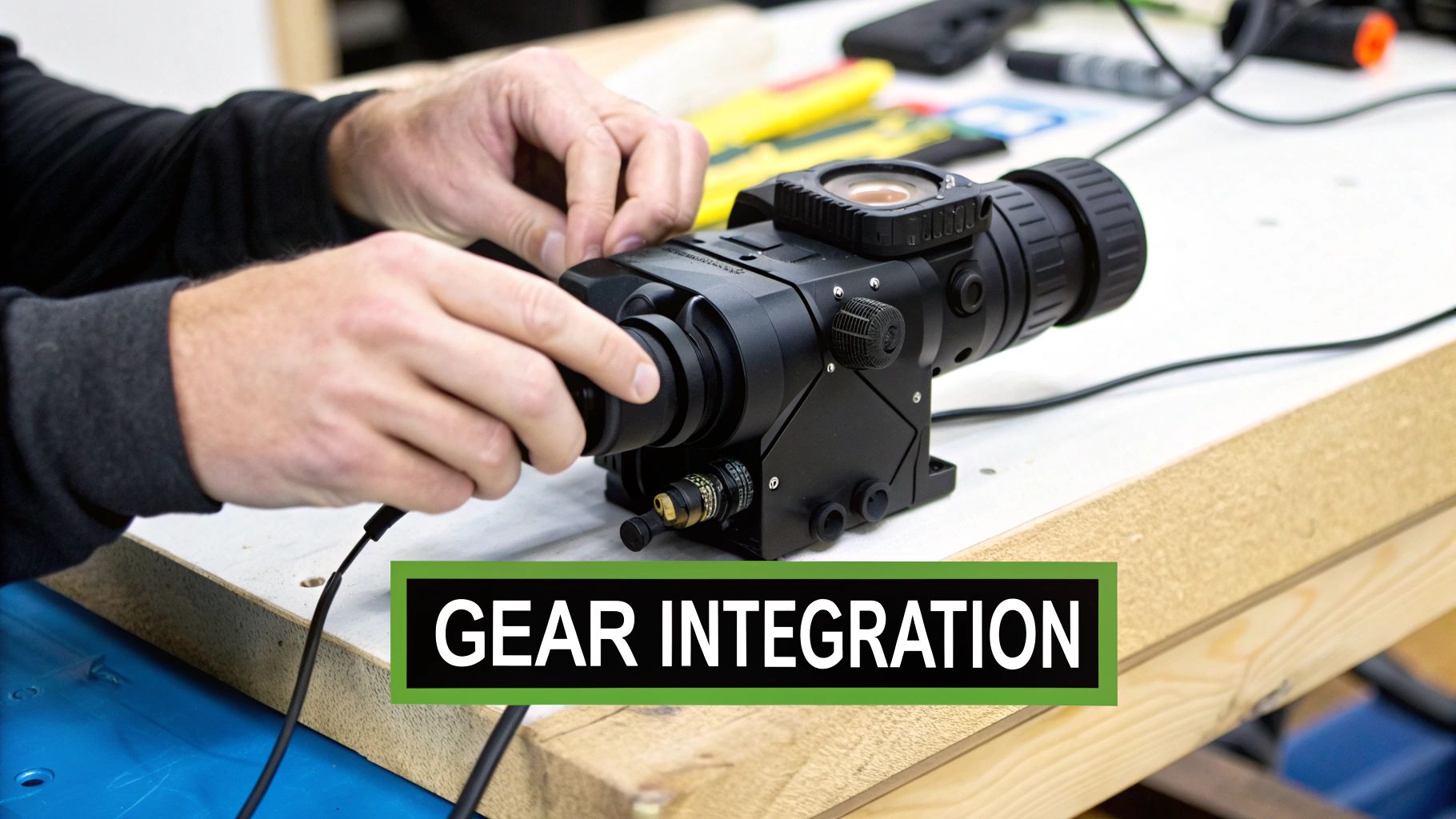
Adding a night vision thermal overlay to your helmet rig is one of the biggest upgrades you can make. The great news is that modern systems, especially clip-on thermal imagers (COTIs), are built to play nice with the gear you already run and trust. The whole point is to get a rock-solid connection that feels like a natural part of your kit.
Whether you're using a workhorse monocular like the PVS-14 or a set of dual-tube goggles, the process is usually pretty simple. Most COTIs use a standard mounting method, typically a tough, no-nonsense ring clamp. This piece slides over the objective lens of your night vision device, holding the thermal unit in perfect alignment.
Getting that mechanical lockup right is absolutely critical. If it’s loose or crooked, you’ll get a distorted image, but you also risk damaging the expensive glass on both your NVD and the overlay. The system only works if the thermal image is projected dead-center into your night vision’s lens.
Securing Your System
The mount is what marries your night vision to your thermal. Get this right, and you’ll have a stable, reliable setup when you’re on the move.
-
Ring Clamps: This is the go-to method for units like the PVS-14. A bracket with a precise inner diameter clamps onto the objective lens housing, creating the attachment point for the COTI.
-
Specialized Adapters: Some bino systems or devices with unusual body shapes might need a purpose-built adapter. You have to confirm that the mount you're buying is made specifically for your model.
-
Helmet and Mount Stability: Even a lightweight COTI, which can be just 60-100 grams, adds forward weight and changes the balance on your head. This makes a sturdy helmet mount more important than ever. For a solid foundation, you can learn more about dovetail mounts for night vision goggles in our complete guide.
A good fit should be completely snug with zero wobble. Before you even think about going outside, mount everything up and give it a good "shake test" to make sure it's locked down. Your gear gets banged around, and that connection is a weak link if it's not totally secure.
Powering Your Fused Vision
Right behind a solid mount, your power plan is the next biggest thing to figure out. Thermal imagers are thirsty for power, and adding a COTI will slash your runtime compared to just running an NVD. A PVS-14 might give you 40+ hours on a single AA, but a COTI can kill its own battery in as little as 3 hours.
To get around this, most guys run an external power source.
-
Onboard Batteries: Using the COTI’s internal battery (usually a CR123A) is fine for quick tasks or if you need to keep the setup as light as possible. But it means you’re carrying extra batteries and stopping to swap them out.
-
External Battery Packs: This is the way to go for any kind of extended use. A dedicated battery pack, often strapped to the back of the helmet as a counterweight, plugs into the thermal unit with a cable. This can push your runtime to 10 hours or more, meaning you have power when it counts.
Picking the right power strategy is a trade-off between weight, hassle, and how long you need the system to run. For any serious use, an external battery pack isn't just a nice-to-have; it's a mandatory part of a reliable fused vision setup. When you get the mount and power dialed in, your gear stops being two separate tools and becomes one cohesive, mission-ready system.
Mastering Your Gear with Proper Calibration
Having a night vision thermal overlay is one thing; making it perform flawlessly when it counts is a whole different ballgame. Think of it like zeroing a rifle. Without proper calibration, your high-tech gear is just showing you a confusing, distorted picture that’s more of a liability than an asset.
The single most important job is getting the thermal image perfectly aligned with your night vision view. If that overlay is off—even by a hair—you get weird ghosting or parallax effects. A heat signature will look like it's floating next to the object it's coming from, which makes accurate targeting or assessment next to impossible.
The Alignment Process
For most clip-on systems, aligning the two images is a pretty straightforward mix of mechanical and digital tweaks. You'll dive into the thermal unit’s menu and simply nudge the overlay left, right, up, or down until it lines up perfectly with what you see through your I².
-
Get a Rock-Solid Mount: First things first, make sure your COTI is clamped onto your night vision device with zero play. A wobbly mount is the number one reason your alignment will drift.
-
Pick a Reference Point: Find a stationary object that has a clear heat signature. A warm sign, a distant transformer, or the engine block of a parked car works great. Aim for something about 50-1hundred meters out.
-
Adjust the Overlay: Jump into your thermal's menu. Use the directional buttons to move the thermal image until it sits perfectly over the real-world object you're seeing in your night vision.
-
Lock It In: Once it's dead on, save your settings. The heat signature should now look like a natural, accurate layer painted right onto your night vision scene.
Fine-Tuning Your View for Any Environment
Beyond just lining things up, truly mastering this gear means learning to adjust its sensitivity on the fly. The settings that work in a cold, open field are going to be way too hot in a warm, humid forest, completely washing out the details you need to see.
This is where you start playing with thermal gain and brightness. Think of gain as the "volume" knob for the thermal sensor. Cranking it up makes the unit more sensitive to tiny temperature differences, which is fantastic for spotting things far away. Brightness, on the other hand, just controls how intense the overlay itself appears.
Your goal is to strike that perfect balance where the thermal image enhances your view without overpowering it. You want a heat signature to "pop" just enough to grab your attention, not burn so bright that it destroys all the detail from your night vision.
This technology isn't a niche gadget anymore; it's seeing explosive growth. The global night vision market was valued at $7.02 billion in 2022 and is projected to hit $16.32 billion by 2030. What's driving that? Thermal imaging. It made up a massive 41.7% of the market share in 2022. You can dig into the numbers yourself in this detailed report from Strategic Market Research.
Interpreting the Fused Image
Finally, confidence comes from practice and knowing the system's quirks. One phenomenon you have to understand is thermal crossover. This is what happens, usually around dawn or dusk, when the background temperature matches an object's surface temperature. For a brief period, that object can become almost invisible to a thermal sensor.
This is exactly why fusion is so powerful. Even if a target’s heat signature momentarily vanishes during crossover, your night vision can still see it plain as day. By learning to trust both inputs and getting comfortable switching between different palettes like white-hot or an outline mode, you’ll maintain complete situational awareness no matter what the environment throws at you. Putting in the time to calibrate and practice is what builds the muscle memory you need to operate with precision when the pressure is on.
Your Checklist for Buying a Thermal Overlay
Making the right call on a piece of gear this important is crucial. A night vision thermal overlay is a serious investment, and you need to be damn sure the unit you choose is a perfect match for your kit, your mission, and your budget. This checklist will walk you through the non-negotiables to consider before you pull the trigger.
Think of this as your pre-purchase inspection. Running through these points will help you get a system that works for you straight out of the box, saving you from that sinking feeling of buyer’s remorse and making sure you have a tool you can count on when it matters.
Compatibility with Your Night Vision
First things first: will this overlay even work with your existing night vision? It's the most important question you have to answer. While most clip-on systems are designed to play nice with common platforms like the PVS-14, you can't just assume it'll fit.
-
Mounting System: How does it attach? Look to see if it uses a simple ring clamp or some kind of proprietary adapter. You need to confirm that the mount will clamp down securely on your NVD's objective lens housing. A wobbly fit is a deal-breaker.
-
Device Type: Monoculars like the PVS-14 are the most common hosts, but if you're running dual-tube goggles, you have to double-check compatibility. A poor fit won't just give you a distorted image; it could potentially damage your expensive optics.
Performance and Sensor Resolution
Don't get hypnotized by a wall of specs. You need to understand what those numbers actually mean out in the field. The thermal sensor's resolution is one of the biggest indicators of how well it will detect and identify targets.
A higher resolution, like 640×512, is going to deliver a much sharper thermal image. That lets you spot heat signatures much farther out than a lower-res 320×240 sensor. If you're doing any kind of long-range observation or trying to identify smaller targets, that higher resolution provides a massive advantage.
Ergonomics and Weight
Every single gram counts when it's hanging off the front of your head. Even an "ultralight" overlay adds forward-tipping weight to your helmet, and after a few hours, you'll really start to feel that strain in your neck.
When you're looking at a system, pay attention to the total weight with the battery. An overlay might be listed at 60 grams, but once you add a battery and mount, the real-world impact on your helmet's balance is what you'll actually feel. A good counterweight system is pretty much mandatory.
Power Solutions
Thermal sensors are thirsty for power. A unit running on a single internal CR123A battery might only give you 3-4 hours of runtime, which is a critical logistical problem you have to plan for.
-
Integrated Batteries: These are convenient and keep the setup clean, but the runtime is very limited.
-
External Battery Packs: This is the professional standard for a reason. A pack mounted on the back of your helmet can easily push your runtime to 10+ hours, and it does double duty as a functional counterweight. Just make sure the unit has an external power port.
Durability and Budget
Let's be real—your gear is going to get bumped, scraped, and exposed to the elements. Make sure the overlay you pick is built to handle it, with a solid waterproof rating and a tough housing. This market is exploding; thermal imaging now accounts for about 40.1% of the global night vision market in 2024. This growth, part of a market projected to hit $13.75 billion by 2030, means you have more options than ever. You can read up on these market trends on MordorIntelligence.com. Set a realistic budget, but don't cheap out on durability. A solid unit will be an investment that lasts.
Answering Your Top Questions About Thermal Overlays
Even after you get a handle on the basics, there are always a few specific questions that pop up when you're seriously considering a night vision thermal overlay. Let's cut through the noise and tackle the most common ones we hear from guys out in the field.
Can a Thermal Overlay See Through Glass?
In a word: no. Thermal imagers can't see through glass, and that’s a hard and fast rule of the technology. Glass basically acts like a mirror for the kind of long-wave infrared energy that thermal sensors pick up, so it just reflects the heat signature of the surroundings right back at you.
Instead of seeing the heat of a person on the other side of a window, you'll just see a thermal reflection on the glass itself. This is a huge operational difference compared to standard night vision, which has no problem seeing through windows as long as there's a little bit of ambient light to work with.
What’s the Difference Between a COTI and a Dedicated Thermal Scope?
The main difference comes down to their core job. A COTI (which stands for Clip-On Thermal Imager) is an accessory—it's built to enhance the night vision device you already own. It projects a thermal image into your I² optic, fusing the two views together. It's not a standalone sight.
A dedicated thermal scope, on the other hand, is a complete, all-in-one sighting system. It has its own sensor, its own screen, and its own aiming reticle. It shows you a world of heat signatures, and that's it. Think of it this way: one enhances your gear, the other replaces a piece of it.
A COTI works with your night vision device. A thermal scope is the device. Getting that distinction straight is the first step to building the right low-light setup for what you do.
Does Adding a Thermal Overlay Weaken My Night Vision Performance?
Technically, you might see a very slight dip. When you mount a clip-on thermal unit to the objective lens of your PVS-14 or goggles, you're putting another piece of glass between the world and your image intensifier tube. That can cause a tiny reduction in light transmission and overall image sharpness.
But here’s the reality: the massive tactical advantage you get from seeing heat signatures almost always makes that slight trade-off a no-brainer. Top-tier overlay systems are designed with high-quality germanium lenses to keep this effect to a bare minimum, ensuring the fused image gives you far more critical information than you lose. For most operators, the boost in situational awareness is worth it every single time.
At Superior Tactical LLC, we believe that having the right gear is only half the battle; knowing how to use it is what gives you the edge. Check out our hand-picked selection of night vision and thermal optics and start building your advantage. https://superiortac.com
